Create an X app
1
Open the X Developer Portal
Sign in at developer.x.com with the X account that should own the app, and create a project and an app.
2
Set the app's permissions
In the app’s User authentication settings, set App permissions to Read and write, and Type of App to Web App.
3
Add your callback URL
Under Callback URI / Redirect URL, enter:For Website URL, enter
https://app.yourdomain.com. Save.4
Copy the keys
Under Keys and tokens, copy the API Key and API Key Secret (the consumer keys).
Connect it to your platform
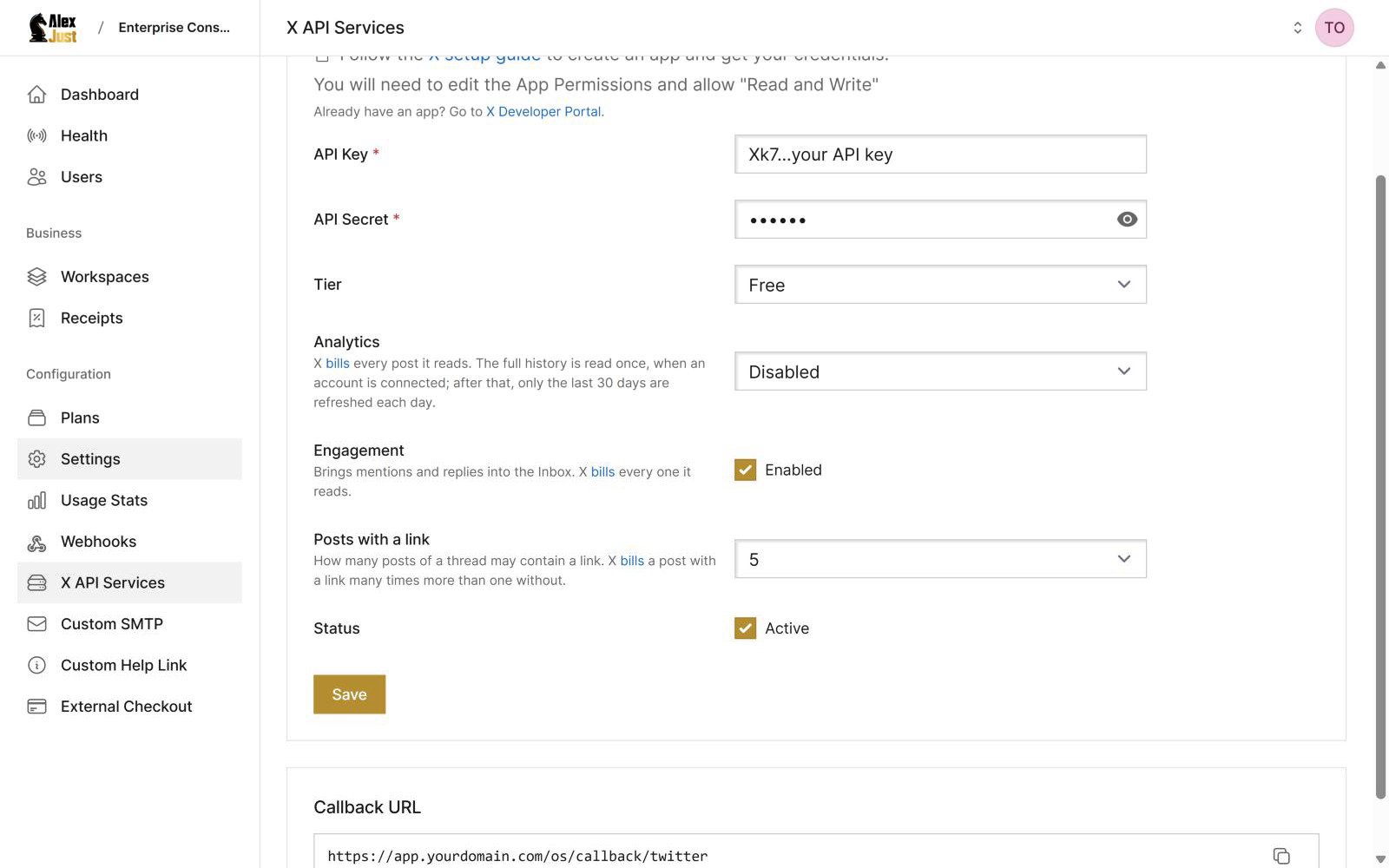
Go to Enterprise Console > X API Services, paste the API Key and API Secret, choose your settings, tick Status: Active and click Save. The Callback URL box at the bottom shows the exact URL your X app needs.